Open the “Disk” menu
Tap the bottom right corner of the screen ten times in a row — the engineering menu opens.
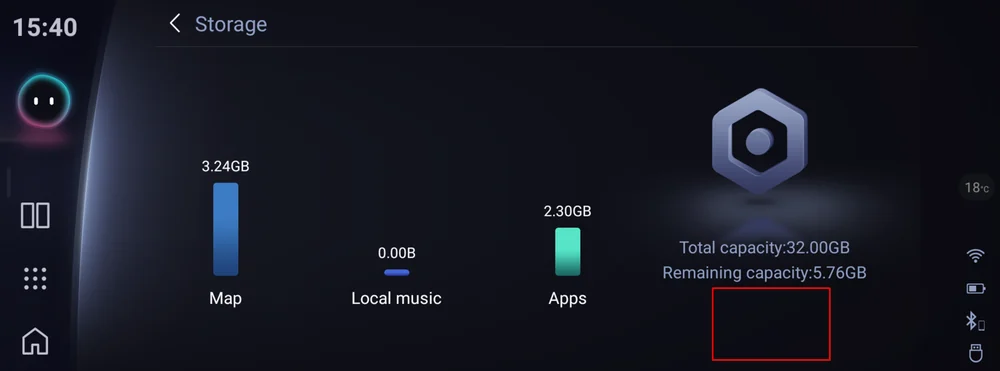
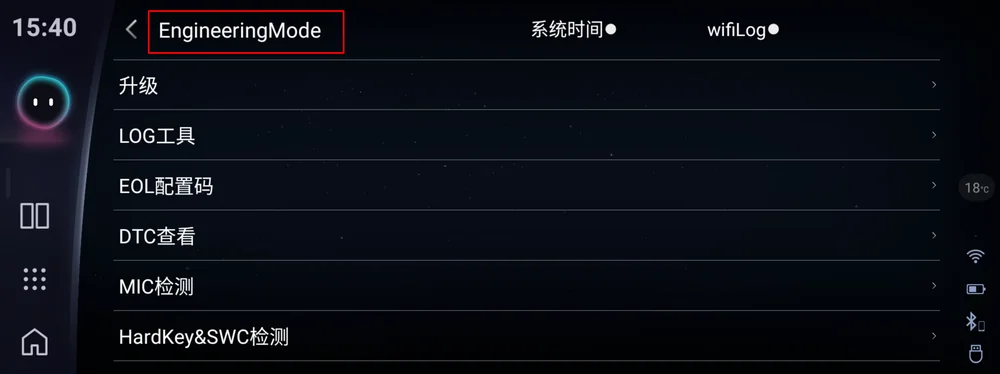
Engineering menu
Tap the upper part of the screen inside the engineering menu.
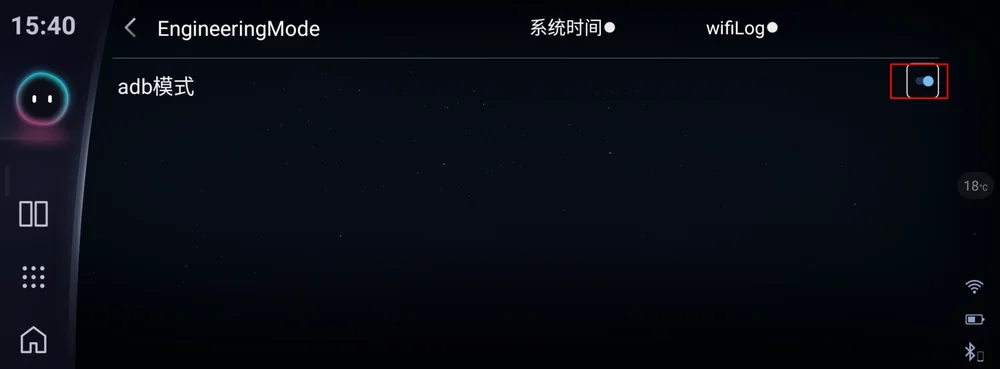
Enable ADB
Switch ADB on in the engineering menu.
Connect the cable
Plug one end of a USB A-to-A cable into your laptop and the other into the lower USB socket in the car.
Internet on the laptop
Make sure the laptop is online — the activator program needs a connection.
Run the activator program
Download and run the activator on your laptop. It shows the Device ID of your head unit.
Download OmodaActivator 1.6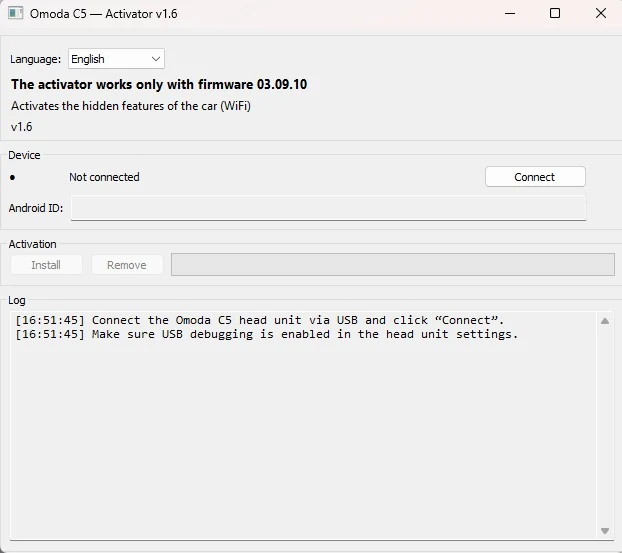
Payment and activation
The program shows your Device ID. Copy it and fill in the purchase form on the site: choose “Wi-Fi activator” ($35), paste the Device ID and enter your email. The activation is sent to that address.
Go to the purchase formRun the patch
Once you receive the activation, run the patch. Wi-Fi and the other functions are restored.
Disable ADB after activation
After activation and a reboot, be sure to turn off ADB mode in the Engineering menu — otherwise the USB flash drive will not work.
$20 off the launcher
Buy the Wi-Fi activator and the launcher costs $80 instead of $100. Installation guide →